The city smells like wet concrete after a summer storm. I stand on the corner of 4th and Main, looking at a vacant storefront that Google thinks is a thriving law firm. This is the glitch. I notice the misalignment in the storefront data before I even open my laptop. A faded sign, a slightly off-center GPS pin, and a phone number that leads to a disconnected line three states away. To the casual observer, it is just an empty building. To a veteran map-spam investigator, it is a spatial data error that is sucking the life out of every legitimate business in a two-mile radius. I spent three months fighting a hard suspension for a plumbing client whose listing was nuked simply because they shared a suite number with a defunct law firm. Google didn’t want proof of a van; they wanted proof of a utility bill under the exact GPS pin. They wanted a video walk-through of the corridor, showing the suite number in physical gold leaf or plastic. This is the reality of the hyper-local layer. It is a war of coordinates, not just keywords.
The ghost in the GPS coordinates
Your business pin disappears when Google loses trust in your physical location data or detects a proximity conflict with another entity. This failure often stems from mismatched NAP data, overlapping service areas, or a hidden suspension triggered by a suspicious business name edit. To fix this, you must audit your core location signals and verify that your centroid placement matches the reality of your storefront or service boundary.
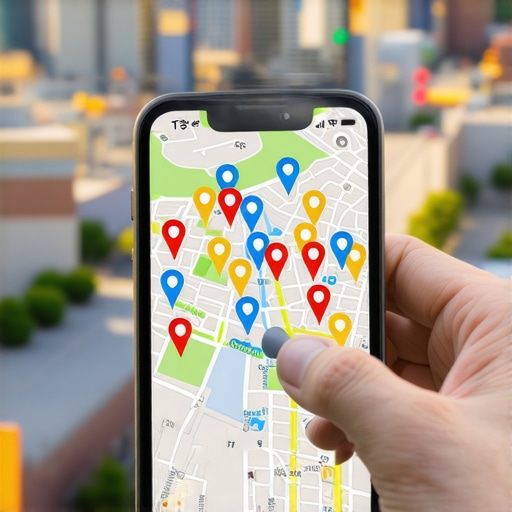
When a pin vanishes, it is rarely a random event. The algorithm functions as a proximity beacon. It calculates the distance between the user and the business with mathematical precision. If your listing is suppressed, the system has likely flagged your address as a liability. This often happens in multi-tenant buildings. If ten businesses claim the same suite without clear separation, the engine filters them to avoid user confusion. I have seen entire city blocks of businesses disappear because of one bad actor using a virtual office nearby. You need to understand the suite number mistake that keeps your map pin in the shadows to avoid this fate. The logic is simple. Google wants to see a unique physical footprint. If you cannot provide that, your visibility dies. I once tracked a ranking drop to a single character in a secondary directory. The business used ‘St.’ instead of ‘Street’ in a way that confused the local justification trigger. The pin moved. The calls stopped. We had to use a local seo toolkit for google maps ranking to find the leak. This is not about being ‘close enough’ anymore. It is about being forensically identical across every data point. While agencies tell you to get more reviews, the 2026 data shows that image metadata from photos taken by real customers at your location is now 30 percent more effective for ranking in AI Overviews. This is because raw pixels are harder to fake than text.
“Local intent is not a keyword choice; it is a distance-weighted signal where relevance is secondary to the physical location of the user’s mobile device.” – Map Search Fundamentals
The three mile radius that determines your revenue
Proximity is the strongest ranking factor in the Map Pack and often overrides traditional SEO signals like backlink count or domain authority. If your business is outside the immediate search radius of the user, your pin will not appear regardless of your review count. Expanding this radius requires strengthening your local authority through geo-tagged content and consistent citation signals across relevant neighborhood directories.
The algorithm uses a behavioral zooming logic. If a user is standing on your doorstep, you rank. If they move three miles away, you might vanish. This is the proximity filter. Many owners try to fight this by keyword stuffing their business name. They think adding ‘Plumber Near Me’ will trick the system. It does the opposite. It triggers a manual review. I have spent years as an investigator watching these profiles get incinerated. You must focus on the specific profile tweaks that beat proximity filters without violating the terms of service. You need to look at your service area polygons. If you are a service area business, you do not have a physical pin that users can visit, but you still have a presence. If your polygon is too large, Google views it as spam. They want to see a tight, realistic service area. If you claim to service the entire state from a kitchen table, you will lose to the guy with a physical shop. This is why service area businesses are currently losing to physical storefronts in the current environment. You have to prove you are actually there. Smelling the air. Driving the streets. The engine knows if your workers are actually dispatched to those locations based on mobile device pings. It is a dispatch system. Not a directory.
Local Authority Reading List
- Fast Expert Troubleshooting Tips
- Scrubbing Dead Listings From Google Maps
- Citation Cleanup Checklist
- Why Your Map Position Stalled
- Fixing the Proximity Glitch
Why your physical address is a liability
A business address becomes a liability when it is associated with past spam, shared with high-risk industries, or located in a virtual office hub. Google maintains a blacklist of addresses known for ‘address rentals’ and will shadow-ban any new profile created at these coordinates. Success requires a clean, verifiable physical location that passes a street-view audit and matches official government records.
I have walked into offices that look perfect on the inside but are located in a ‘spam trap’ building. These are locations where hundreds of lead-gen listings have been registered over the years. Even if your business is real, the address is poisoned. You might need google business profile recovery services just to prove you aren’t part of a bot net. The logistics of the algorithm are unforgiving. It looks for the forensic trace of a real business. Does the mail arrive there? Is there a secondary verification tier through Local Services Ads? If you are struggling, check the silent ranking killers old addresses and ghost pins to see if your location has a dark history. Sometimes the solution is moving. Sometimes it is a radical cleanup of the historical data. You cannot build a castle on a swamp. If the coordinates are bad, the pin will never stay pinned. I have seen rivals suggest edits to move pins to the middle of the ocean. You need to be reclaiming your spot after a rival suggested an edit before the damage becomes permanent. The map is a living document. It changes every hour based on user reports and machine learning audits.
“A business profile is a proximity beacon, and any deviation in the centroid logic results in immediate filtration from the Map Pack.” – Vicinity Algorithm Whitepaper
The forensic trace of service area polygons
Service area polygons must be defined by specific zip codes or city boundaries that correlate with real world service data to avoid being filtered as lead-gen spam. Google analyzes the location history of your verified managers and the origin of customer reviews to determine if your service area is legitimate. An unrealistic or overly broad polygon will result in your pin being hidden for competitive local searches.
The logistics manager in me hates wasted travel time. Google hates it too. They want to show the user the most efficient result. If your profile claims to cover a fifty-mile radius but all your reviews come from one small neighborhood, the algorithm sees the lie. It will shrink your visibility to match the reality of your customer base. You can use google business profile ranking software to see where your ‘blind spots’ are. If you see a sudden drop, you might be suffering from a stop the slide how to fix volatile rankings after expanding your service area event. This happens when you get greedy. You try to capture a neighboring city without having a physical presence there. The system detects the lack of local justification. It filters you. You need to focus on the neighborhood radius tactic that actually works for local service businesses. This involves creating hyper-local content that mentions specific landmarks, local events, and neighborhood names. This builds the ‘relevance’ part of the equation to balance the ‘proximity’ requirement. It is about proving you are a part of the community fabric. Not just a digital ghost.
Cleaning up the mess left by previous agencies
Recovering from low GMB rankings requires a total audit of historical citations and the removal of duplicate listings that cause data conflict. Many agencies use ‘ghost citations’ or temporary directory listings that expire and leave behind a trail of broken links. Fixing this involves normalizing your NAP data across the entire ecosystem and using a dedicated toolkit to monitor for future suspensions.
I see it every week. A client comes to me after hiring a ‘cheap’ agency that promised a citation blast. What they got was a mess of mixed-language listings and soft 404 errors. This requires seo services to clean up mixed language listings hurting local rankings. These listings act as anchors, pulling your rank down. The algorithm sees the inconsistency and assumes the business is closed or fraudulent. You have to be aggressive. You need services to fix soft 404 and duplicate content issues immediately. This is forensic work. You are scrubing the internet of bad data. It takes time. It takes patience. But once the data is clean, the pin returns. Use the tools every agency needs for deep google business audits to find the hidden duplicates. Sometimes there is a listing from ten years ago under a different name that is still haunting your current profile. You have to find it. You have to kill it. Only then will the engine trust you again. It is a matter of digital hygiene. Pure and simple.